
FraGament is a note app designed for “scribble-first” writing.
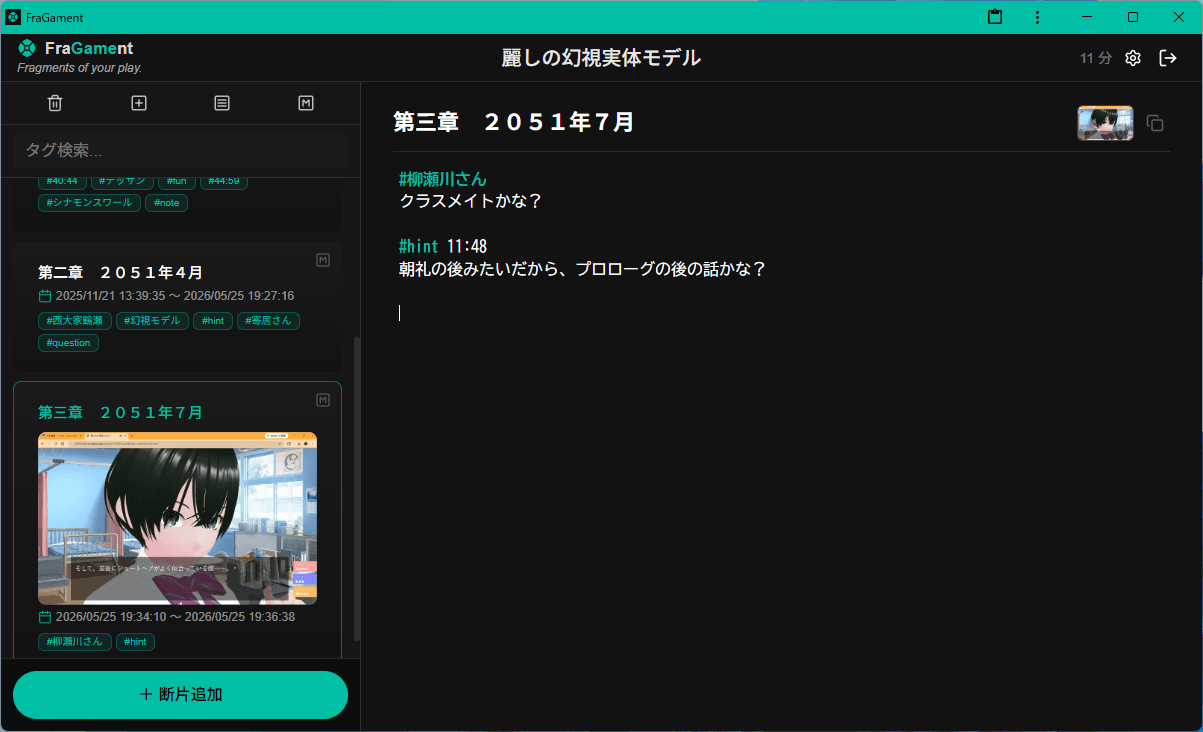
Designed to keep the small fragments of insight that arise in the moment,
all in a free, fully local application.
What is FraGament?
Visual novels, RPGs, adventure games, books, films, videos—
no matter what you’re experiencing, small insights and quiet shifts arise.
FraGament lets you gently preserve those fragments as they are.
Use it as a space to settle your thoughts.
As a calm draft before writing a review.
And during work or streaming, as a place to quietly leave your ideas.
Features
PC: Write without breaking your flow
Keywords on the left, your memo on the right. A layout that lets you write and organize at the same time—without interruption.
Mobile: Smooth input and quick switching
Simple tab switching allows you to move effortlessly between keywords and memos, even on a small screen.
Automatic session time tracking
FraGament records how long you've been writing, letting you link your thoughts to the progress of your play or reading.
#Tags & @Short Inputs
Write “#keyword” to turn it into a tag. Use “@t” to insert a time tag, or “@m” to leave a brief impression of the moment.
Fully local & auto-saving
Everything is saved instantly to IndexedDB, so there’s no need for manual saving—your data always stays with you.
JSON backup & restore
Export or restore all your titles, fragments, and memos as JSON. Simple migration and long-term preservation.
Multi-language support
Switch between Japanese and English while keeping your layout and data unchanged.
Text / Markdown export
Export your drafts directly as text—perfect for reviews or notes.
How to Use (3 Steps)
1. Create a title
The name of the work, game, or project.
2. Add a fragment
The first line becomes the header. Everything after is free-form.
You can also attach screenshots directly to any fragment.
3. Start writing
Write as your thoughts come. Use “#keyword” to categorize fragments.
A detailed walkthrough is available in this note article.
Works perfectly with Chrome Split View
With Chrome’s split-view feature, you can keep FraGament open beside any tab.
Write down what you notice the moment it happens, without switching windows.
Auto-save means your flow is never interrupted.
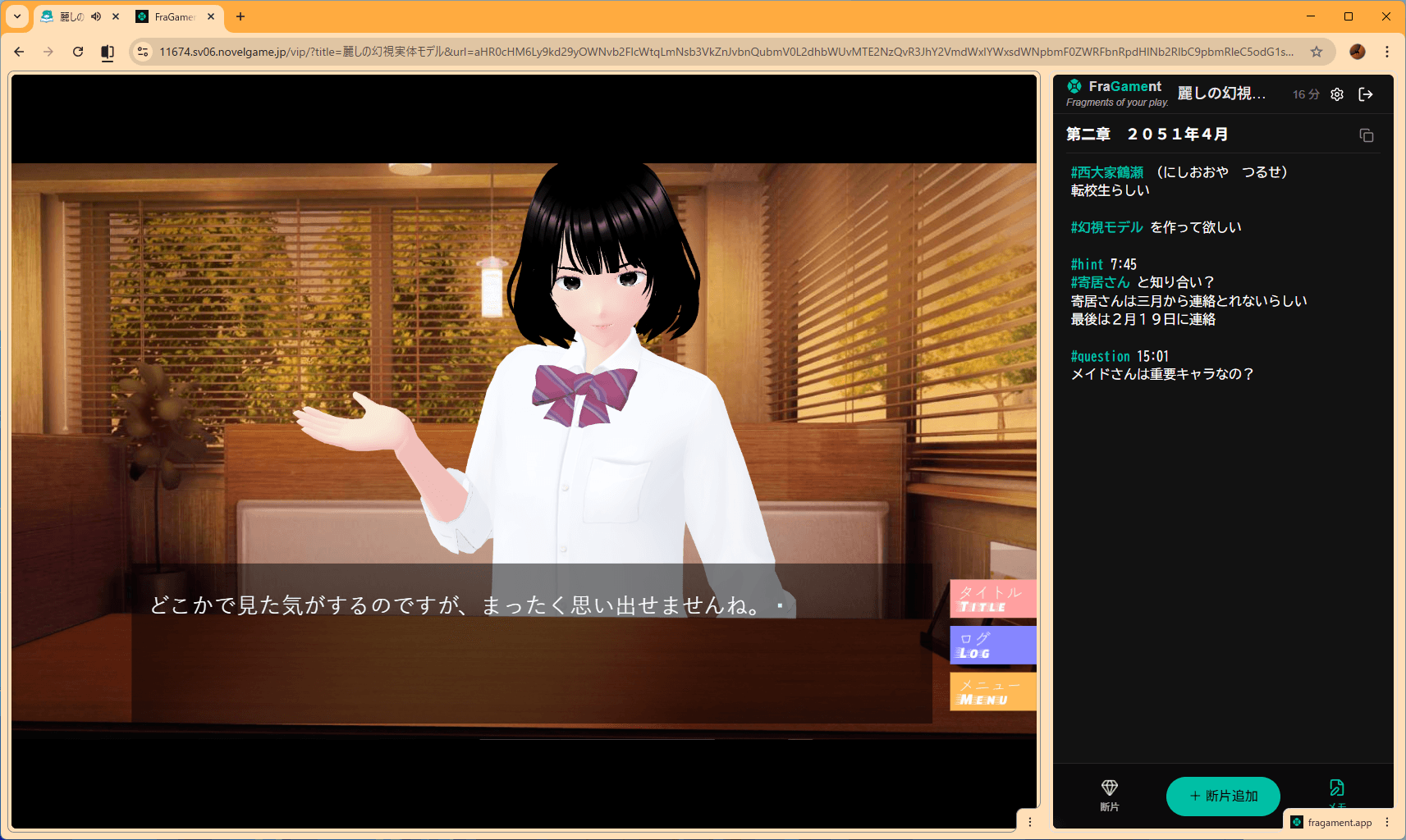
Gaming notes
Place FraGament beside your game to capture insights and observations in real time.
Video notes
Watch YouTube alongside FraGament and log what you learn as it happens.
Reading journal
Keep Kindle open on one side and jot down thoughts as you read.
Review drafts
Quietly shape your words before posting to social media or review sites.
Philosophy of FraGament
FraGament is designed to remove interruptions from your thinking.
No switching modes just to write.
Organize as you write.
Your thoughts and memories stay with you—as fragments of your play.